Kosmic PDF
a PDF viewer and editor for law practicefree and open source, for Linux and Windows
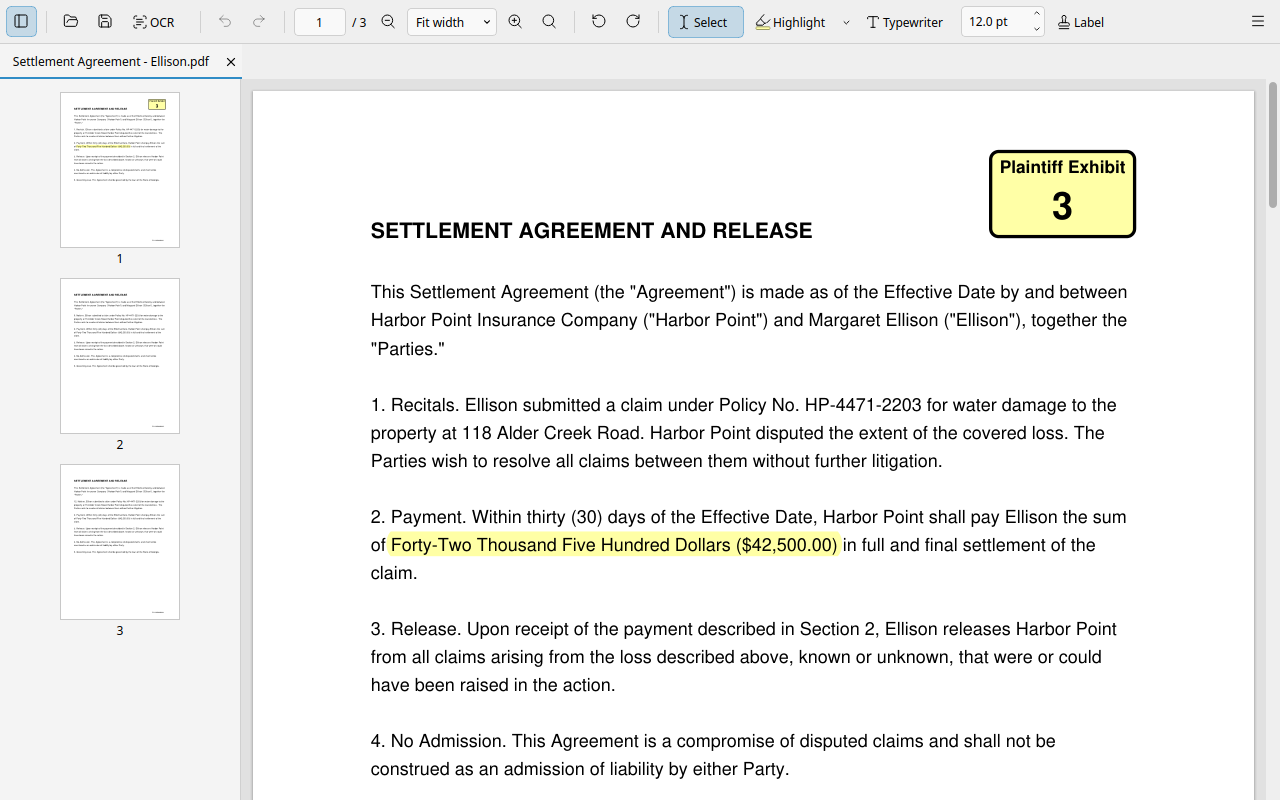
Kosmic PDF is a small desktop app for the PDF work a law office does every day: organising pages, highlighting and annotating, redacting, Bates numbering, labelling exhibits, and making scans searchable. Kosmos made it for its own practice and shares it under the AGPL.
Download
Linux
A Flatpak for any distribution. It updates itself through your software updater, and OCR and PDF/A are included.
Linux Mint's Software Manager opens the link. On other desktops, or from a terminal:
flatpak install --user https://kosmos.law/flatpak/kosmicpdf.flatpakrefWindows
An installer for Windows 10 and 11 (64-bit). It installs for your own account, no administrator needed, with OCR and PDF/A included.
The installer isn't signed yet, so Windows may show an "unrecognised app" notice: choose More info, then Run anyway. To update, run a newer installer over the old one. Earlier versions are on the releases page.
Features
Pages
Reorder, rotate, copy and paste pages by drag and drop, within a file or between files.
Tabs and windows
Open several PDFs in tabs, and drag a tab out into a window of its own.
Highlight and type
Highlight text, type notes onto the page, and select and copy text.
Redact
Mark exactly the words to remove, or an area, and save a redacted copy; the original is never changed.
Bates numbers
Stamp Bates numbers on one file, or on a set of files in order, into copies named by their numbers.
Exhibit labels
Place an exhibit label where you click, and label or renumber a whole set of exhibit files at once.
OCR
Make scanned documents searchable. A dot on the OCR button shows when a document needs it.
PDF/A
Convert to the archival format courts and records offices ask for.
Combine and flatten
Combine files, turn images into PDFs, and flatten annotations into the page.
Source, issues and earlier versions are on GitHub. Kosmic PDF is built with Qt and PyMuPDF, and uses OCRmyPDF, Tesseract and Ghostscript for OCR and PDF/A.